
 18.08.2025
 176
176 In small towns, digitalisation is already a reality. High-speed internet, CCTV systems, VoIP calls and other services are widely available. However, this progress brings technical challenges: reliable, scalable and cost-effective solutions are needed. Most local ISPs lack large investment funds or a dedicated team of specialists. Under such conditions, PON (Passive Optical Network) emerges as the optimal solution. In this article, we will explain what PON is, the difficulties of implementation, and why it is one of the most cost-efficient options available.

What Is PON Technology?
PON is a fibre-optic data transmission technology based entirely on passive components. The signal travels from the operator to the subscriber without any active equipment along the way. This means there are no powered elements between the operator’s Optical Line Terminal (OLT) and the customer’s Optical Network Terminal (ONT). Compared to other technologies like Ethernet, PON offers better energy efficiency, higher bandwidth and strong scalability potential.
Key components:
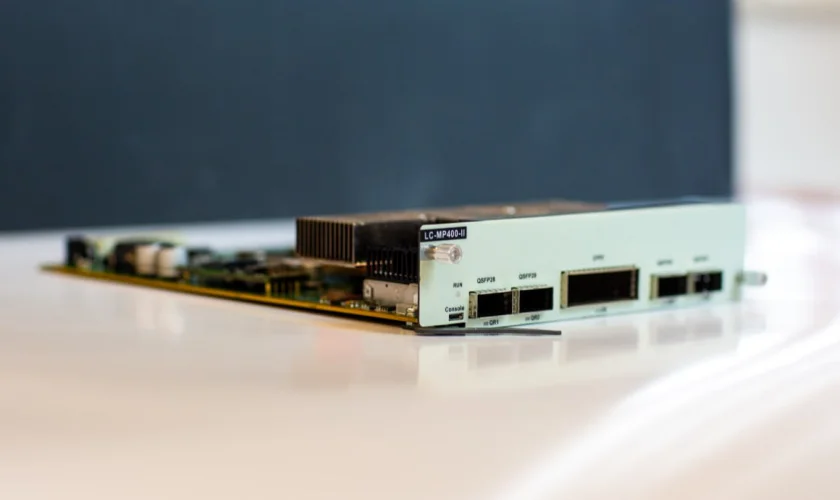
OLT (Optical Line Terminal) – the provider-side device. One port can serve 32 to 128 users, depending on the split ratio.
Splitters – passive devices that divide the signal among multiple subscribers.
ONT/ONU (Optical Network Terminal / Unit) – customer-side terminals.
The maximum reach without amplifiers is up to 20 km. Signals are transmitted on different wavelengths: downstream (from provider to user) and upstream (from user to provider).
Data transmission speeds range from 2.5 to 10 Gbps, using standards such as GPON, XG-PON, and XGS-PON.
Benefits of Passive Optical Networks for Small Towns
In small towns with low housing density but long infrastructure stretches, the advantages of PON are clear:
Scalability and flexibility. Networks can be designed with future expansion in mind. New subscribers can be added by simply extending splitters, ONTs, or upgrading the OLT – no need to rebuild the entire infrastructure.
Low maintenance costs. With no active equipment between the operator and the end-user, there is no need to install amplifiers or switches on poles or in cabinets. The backbone functions without electronics, reducing failure points and costs for maintenance and electricity.
Long-distance coverage without signal loss. Fibre can be laid over 20 km with no signal degradation, making it possible to connect remote homes, businesses or public facilities.
Multiservice capabilities. A single fibre can deliver multiple services: internet, voice, TV, and security systems. One connection can support smart home features, surveillance, and digital utility systems.
These advantages make PON a universal solution for delivering modern digital services.

How to Choose Equipment for a PON Network
To successfully deploy and maintain a PON network, choosing the right components is critical. Key elements include:
OLT. This provider-side device should support SNMP, TR-069, and OMCI for remote management. One GPON port handles up to 64 users, so choose models with multiple ports and future scalability in mind.
Splitters. Installed in cross-connects, splice closures or subscriber cabinets, ideally as close to the customer as possible to minimise signal loss (typically 3-7 dB). Common ratios: 1:8, 1:16, 1:32.
ONT/ONU. Opt for models manageable via an ACS server (TR-069), which simplifies diagnostics and firmware updates. Features such as Wi-Fi, LAN ports, and SIP support depend on user requirements.
Fibre and accessories. Use single-mode fibres like G.652.D or G.657.A2. SC/APC connectors are preferable for better reflection performance. Always test lines after fusion splicing to check signal loss.
Choosing reliable equipment with support for required services ensures network stability and reduces future repair costs.
Common Challenges When Deploying PON
Although PON is a modern and promising technology, it comes with potential difficulties:
Poor network design. Incorrect splitter placement or excessively long lines can weaken the signal. Too many splices and connectors increase loss.
Lack of documentation. Without network diagrams, fault tracing can take hours as no one knows where cables are laid.
Insufficient staff expertise. Teams must know how to test lines, splice fibre and configure equipment (VLAN, QoS, multicast, SIP).
Equipment incompatibility. Devices from different vendors may not work well together, causing network errors. It’s best to use hardware from the same brand or pre-validate compatibility.
Bureaucracy. Cable installations must be approved by local authorities, and permits may be required for aerial installations.
The technology is straightforward, but careful planning is essential.

IPTV and VoIP over PON - Key Considerations
PON can do more than just provide internet. You can also deliver voice and video services – but proper setup is required:
IPTV – Internet-based digital television. For smooth streaming, configure VLANs and enable IGMP Snooping/Proxy. Isolate IPTV traffic on a dedicated VLAN to avoid conflicts with internet traffic. Without IGMP configuration, video streams may be sent to all devices, increasing load.
VoIP – Internet-based voice services using SIP. Ensure ONTs support SIP and configure QoS to prioritise voice traffic. Without this, voice calls may drop when users stream or download large files. Best practice: allocate a separate VLAN or priority lane for voice.
In practice, you set up service profiles on the OLT, distribute traffic by VLAN, and keep each type of traffic separate.
ONTs with TR-069 support are ideal – they allow remote configuration, firmware updates and diagnostics, reducing the need for on-site visits.
Mistakes to Avoid When Implementing PON
Even experienced providers can make costly mistakes. Common ones include:
Buying the cheapest ONTs. These are often unreliable and get replaced under warranty. Invest in quality devices from the start.
No signal loss margin. Every splice, connector, and splitter introduces loss. Always design with extra margin to maintain signal quality.
No scalability reserve on the OLT. Always plan your network for future expansion.
Placing all traffic in one VLAN. This slows down all services, including internet, SIP and IPTV.
Lack of remote management. Without it, even changing a Wi-Fi password requires a site visit.
Mixed-vendor setups. ONTs and OLTs from different vendors may be incompatible. Always test compatibility beforehand.
PON is a robust platform for building scalable, reliable and cost-effective networks. For small-town ISPs, it minimises upfront costs while offering a full range of digital services. However, success depends on meticulous design, documentation, and testing. Proper preparation ensures long-term network stability.